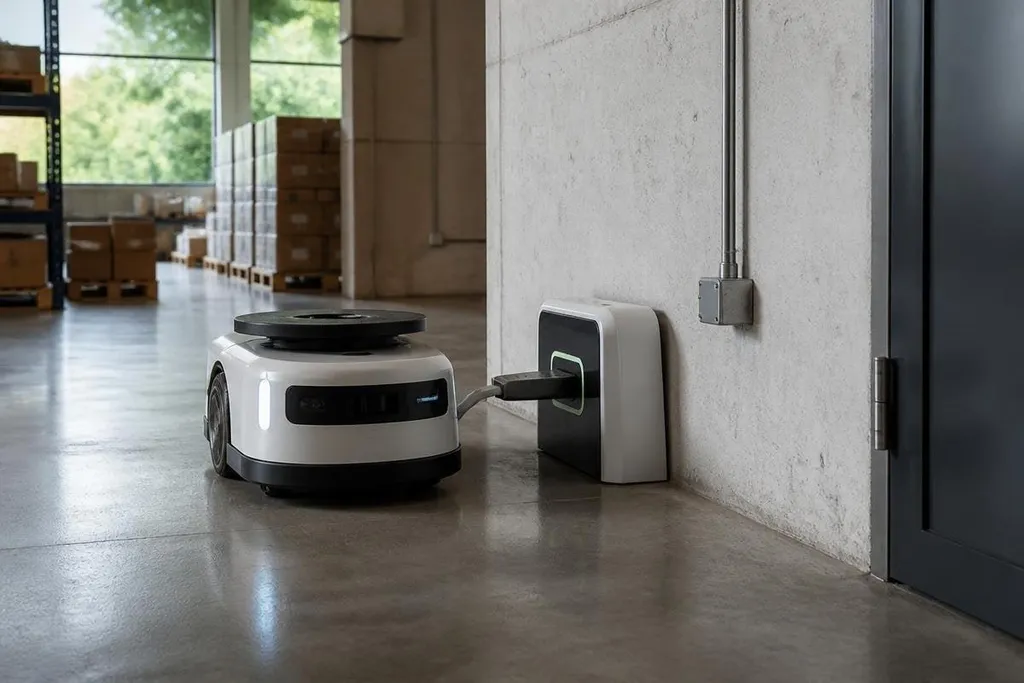
A self-charging robot does not make power disappear. It finds a charging point, connects to it, and waits long enough to refill its battery. That changes how you plan a robot’s work area, especially when the robot must move without a person nearby.
Quick read
- A charging dock can cut planned downtime between work runs.
- The robot still needs enough battery to reach the dock.
- Dock position, floor access, and contact design decide if the system works.
How self-charging works
The basic setup has three parts: the robot, a dock, and software that decides when to return. The dock may use metal contacts, wireless charging coils, or a cable connection. Each method has a different effect on cost, alignment, cleaning, and wear.
Contact charging can transfer power through exposed pads on the robot and dock. Wireless charging avoids direct contacts, but the robot must stop over the charging coil with enough accuracy for power to pass across the gap.
The robot also needs a way to find the dock. It may use cameras, LiDAR, floor markers, or a stored map of the site.
The charging routine then has to slow the robot, line up the charging points, confirm the connection, and start the battery cycle. That last check matters. A robot that stops beside the dock without making contact has not solved its power problem. It has only moved the problem to a different part of the building.
What changes for a work site
A charging dock works best when the robot can reach it from several work areas without crossing blocked lanes. A warehouse operator may need a dock near the robot’s route, while a hospital robot may need a location that keeps doors and walkways clear.
The robot’s task also sets the charging plan. A unit that carries loads for short trips may return often for small charging sessions. A robot that runs a fixed inspection route may need a longer stop after several rounds.
This makes battery data useful. The control software can watch charge level, distance to the dock, task length, and traffic near the return path. It can send the robot back before the battery reaches a level that leaves too little power for the trip home.
A self-charging robot still needs a working dock, a clear route, and enough time to connect. Reports on self-charging robots from Robot24.com can tie those details to a named trial, so you can judge whether the robot keeps working or waits beside a missed charging contact. The next limit is physical: a dock can't fix a battery that holds too little energy.
The limits are physical
Self-charging does not remove the need for battery planning. A blocked dock, dirty contact pad, poor floor marker, or parked vehicle can stop the return routine. With a low battery, the robot may also reach the dock without enough control time to correct its position.
Wireless charging can reduce exposed contacts, but it may transfer power more slowly than a direct connection. Faster charging can shorten the stop, yet it can also add heat and place more demand on the battery system. The maker needs to show how the full setup handles those trade-offs.
Solar panels create a different case. They can add power during outdoor work, but the available energy depends on light, panel area, weather, and the robot’s load. A small panel cannot replace a dock when the robot uses more power than the panel can collect.
The unproven part is often the return rate. A product video may show one clean docking run. A site owner needs results across dust, traffic, changed floor layouts, low battery levels, and repeated use.
A buying checklist
Before choosing a self-charging robot, check these points:
- Dock access: Can the robot reach the dock during every planned work period?
- Connection type: Do contacts, coils, or a cable fit the site’s dust and cleaning routine?
- Return reserve: What battery level sends the robot home, and how much power remains then?
- Recovery plan: What happens after a failed dock, blocked route, or lost map?
- Service work: Can a technician clean or replace the charging parts without long downtime?
- Proof: Has the maker shown repeated docking results in a site like yours?
A charging dock should be tested with the same floor, traffic, lighting, and cleaning schedule the robot will face after installation. A clean showroom run says little about a dock beside a busy loading area.
I'd treat self-charging as a site-design problem before treating it as a battery feature. The useful measure is not how often the robot can find its dock once, but how many work runs it completes before a person has to intervene.